Use several public IPs (Alibaba Cloud ECS, AWS EC2)
Add more public IPs to the server running Trade; Trade finds them by itself and spreads requests, so per-IP exchange limits go further.
When a server has several public IPs, Trade spreads its exchange connections and requests across them, so the request limits exchanges set per IP go further. Just add the IPs in your cloud console: Trade finds and enables them by itself, with no server settings to change and no reinstall.
One IP is enough for a few combos. Add more when you run many combos or an exchange says requests are too frequent.
Before you add
Each extra public IP costs about 4 USD per month, plus that IP's traffic (billed by use).
How many IPs a server can take depends on the machine: the Alibaba Cloud economy 2 vCPU, 2 GB type takes 1 more, and an AWS t3.small takes up to 3 more; bigger machines take more.
Add every new IP to the IP allowlist of your exchange API keys, or the exchange rejects requests sent from it.
Alibaba Cloud ECS
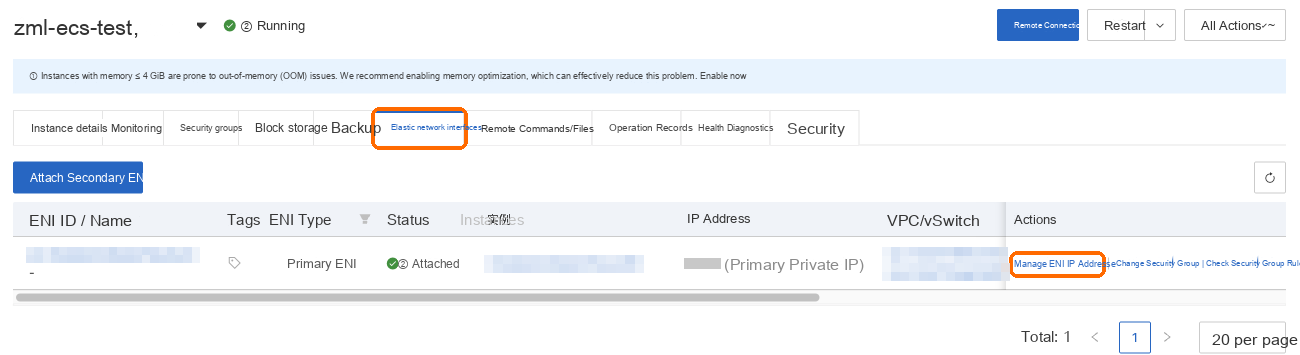
Open the server's details page, choose the Elastic Network Interfaces tab, and choose to manage the interface's IPs on the primary interface's row.
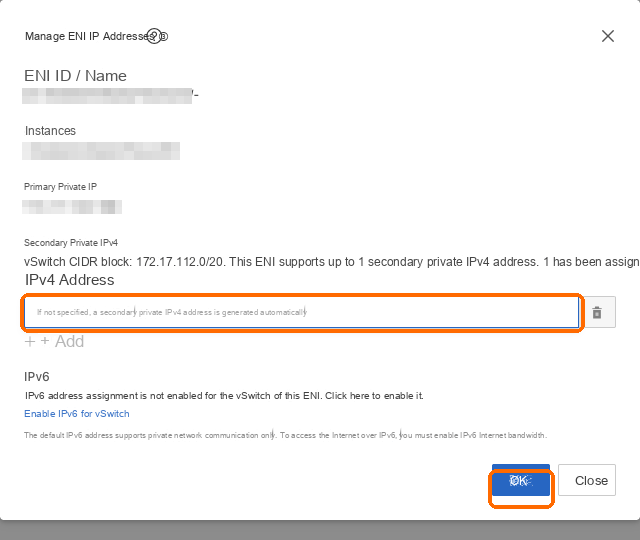
Under secondary private IPv4, choose Add, leave the address empty to have one assigned, and choose OK.
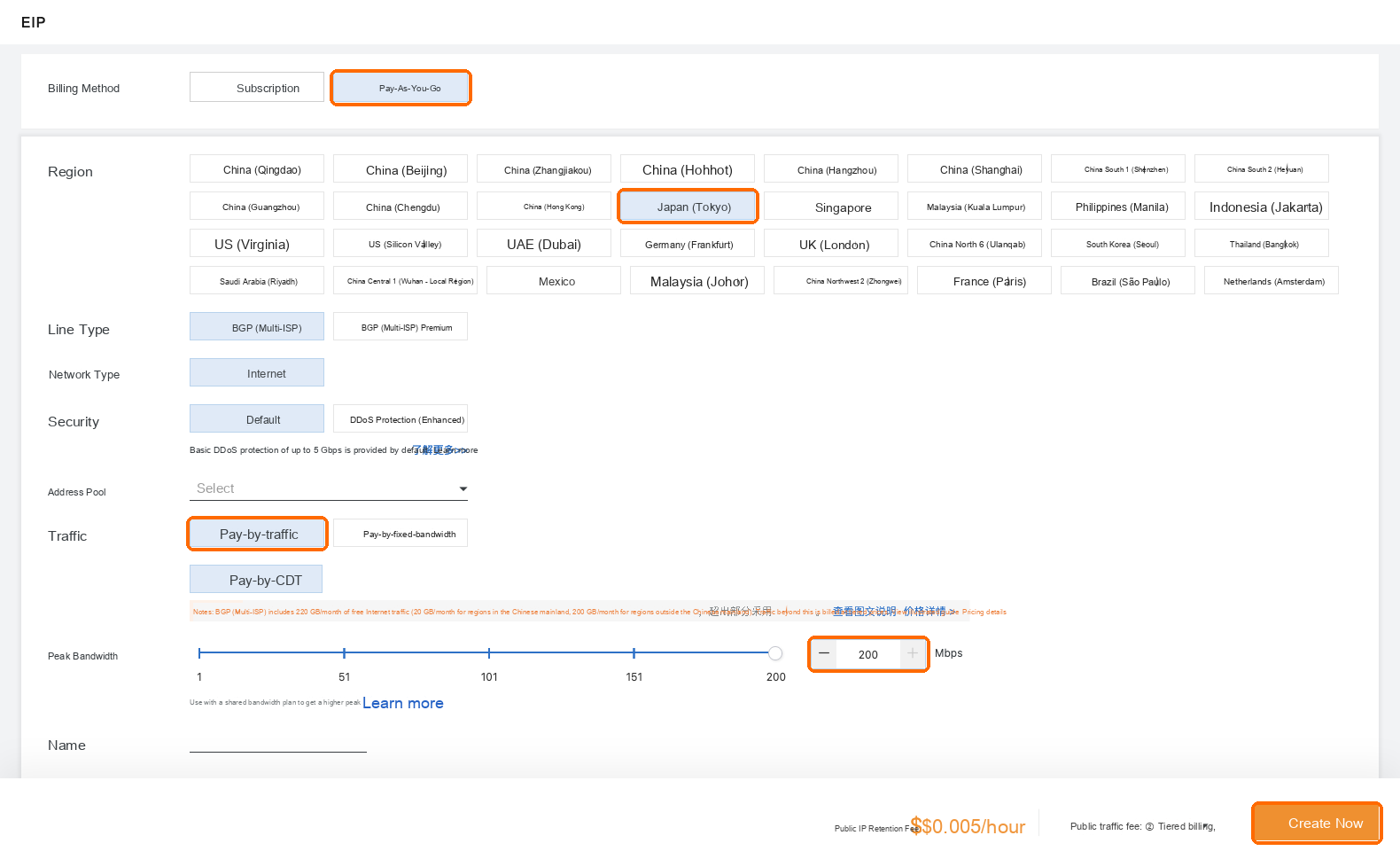
In the VPC console, choose Elastic IP Addresses on the left, then Create EIP. Choose pay-as-you-go, Japan (Tokyo) and pay-by-traffic, and raise the peak bandwidth (the default 1 Mbps makes market data on this IP arrive slowly; set 100 or more, which costs nothing extra with pay-by-traffic). Choose Create and confirm.
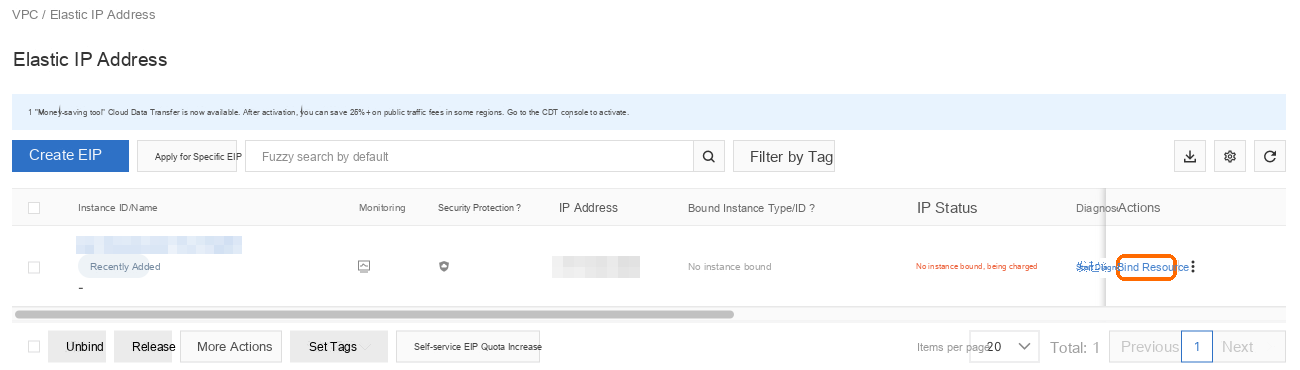
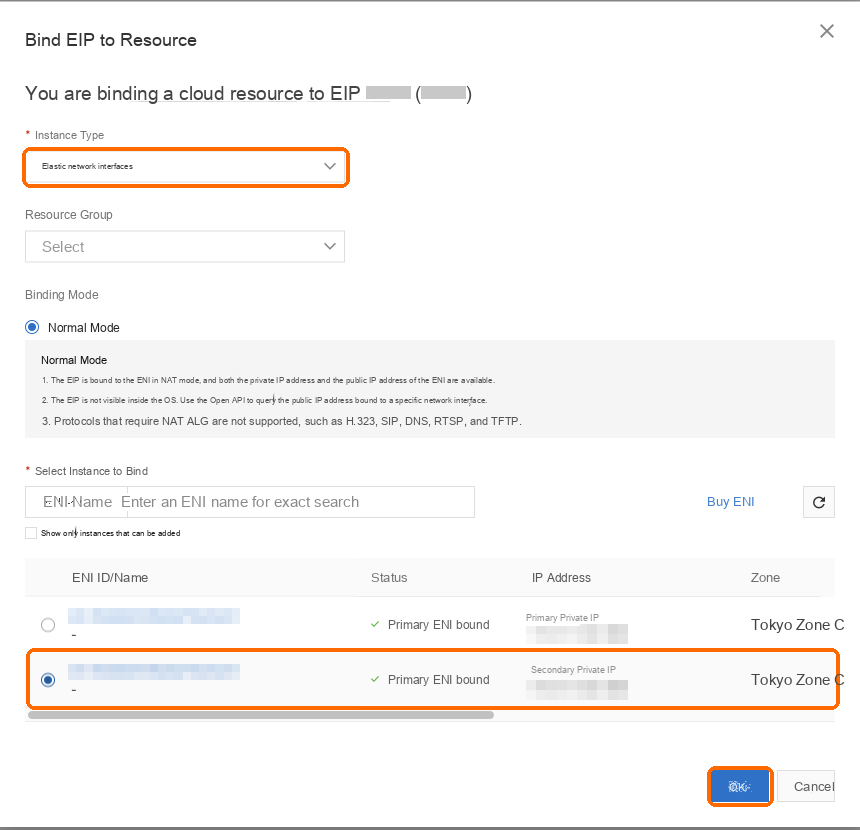
Back in the elastic IP list, choose to bind a resource on the new IP's row.
For the instance type, choose Elastic Network Interface, select the row whose IP address is the one you just added (not the original one), and choose OK.
AWS EC2
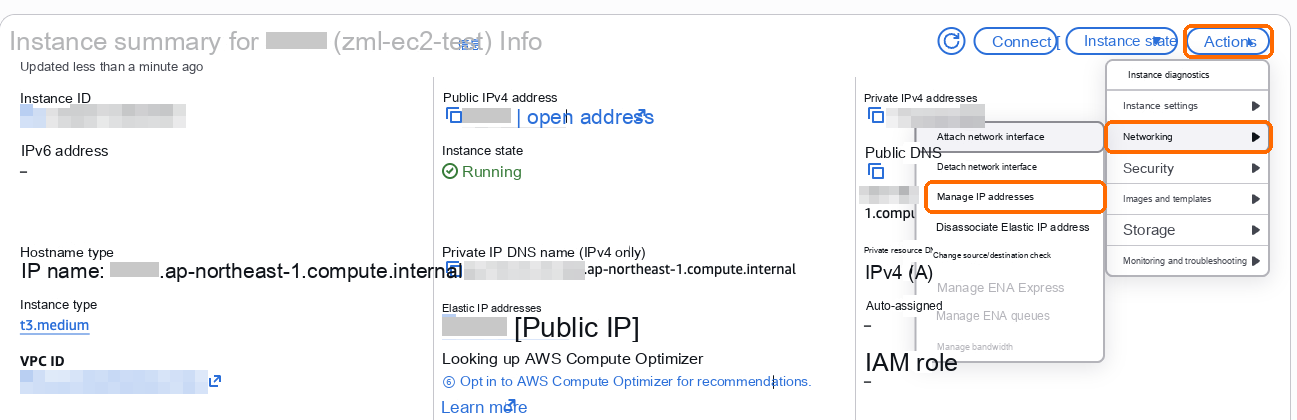
Select the server under Instances and choose Actions → Networking → Manage IP addresses.
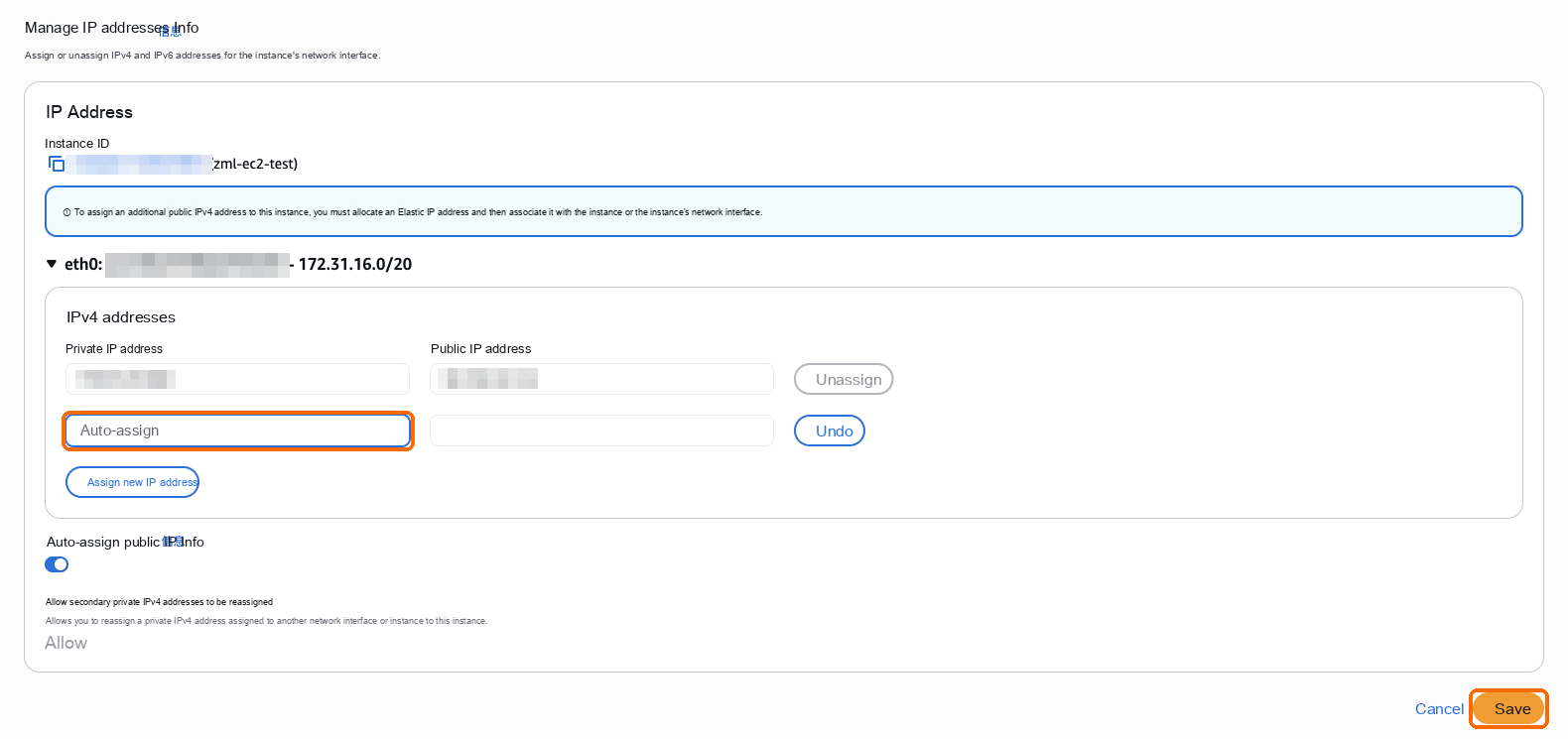
Expand eth0, choose Assign new IP address, leave the address empty to have one assigned, then choose Save and confirm.
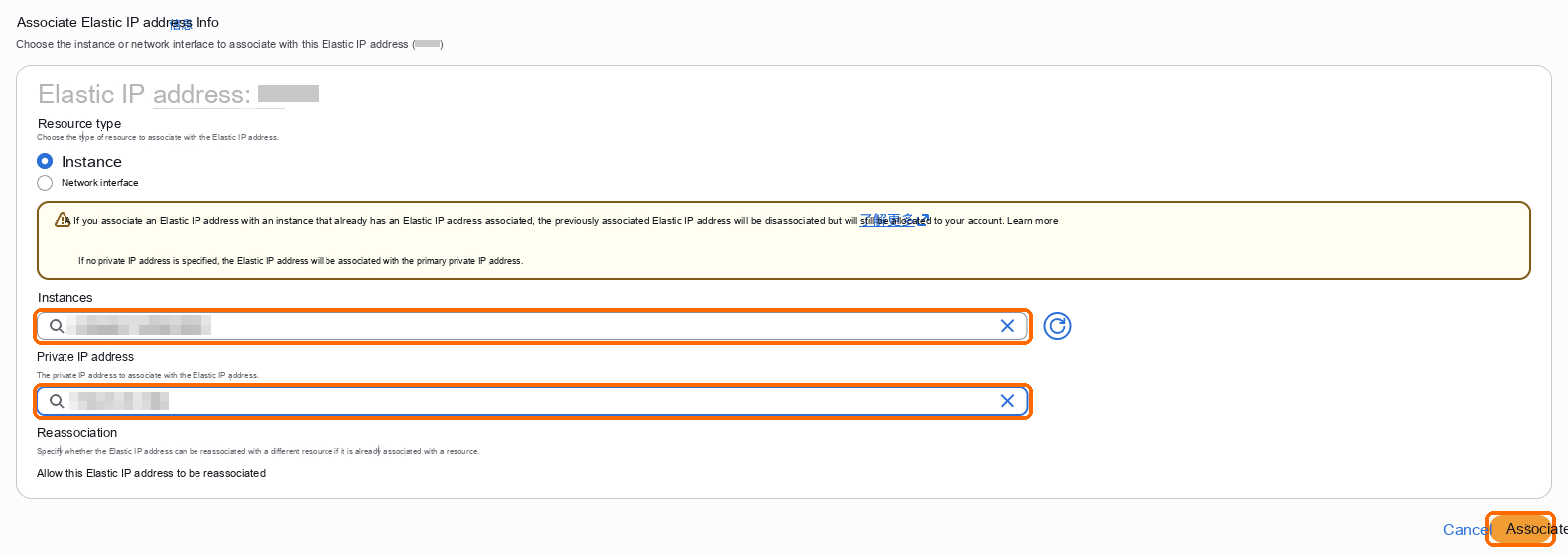
Allocate another elastic IP as in "Fix the public IP" in Install on AWS EC2. When associating it, pick this server under Instance and the newly assigned address under Private IP address, then choose Associate.
Check in Trade
After a minute or two, open "Egress IPs" in Trade: the new IP appears under "Server egress IPs". Add it to the IP allowlist of each exchange API key; Trade then spreads requests across all egress IPs automatically.
| What you see | What to do |
|---|---|
| The new IP still doesn't appear after a few minutes | Make sure the elastic IP is bound to the newly added private IP, not the primary one. If it still doesn't appear, restart the server once in the cloud console |
| The new IP appears, but orders from it are rejected | The new IP isn't in your exchange API key's IP allowlist yet |
| Market data on the new IP arrives slowly | The Alibaba Cloud elastic IP still has the default 1 Mbps peak bandwidth; raise it in the elastic IP list |